
Overview
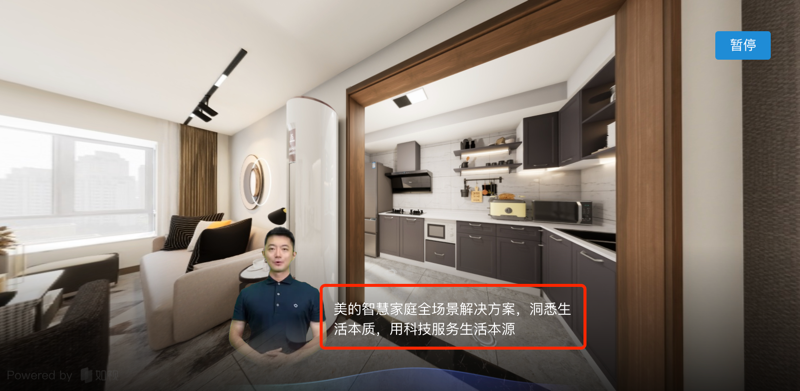
Prompter Subtitles provides text captions for voice narration.
You can edit the narration text whenever you need to, and use the Prompter feature to emphasize the key points of your narration.
Preview
How It Works
To use the Prompter Subtitles feature, all you need to do is add data with type=Prompter to the keyframes of your script structure. The 3D-space script player parses this kind of frame data and renders it as prompter subtitles during playback.
Field Reference
Info
For the specific content and parameter types, see the Vreo API documentation.
// Snippet example
{
  "uuid": "daf3e3a8-7b48-4df3-eec5-bdc2a1a1c1ba",
  "type": "Prompter",
  "start": 0,
  "end": 3000,
  "parsed": false,
  "data": {
    // highlight-start
    "text": "Hello, I'm your smart home designer" // Prompter text; a length within 32 (Chinese characters) is recommended.
    // highlight-end
  }
}

// Additional prompter snippets can be appended here
Tip
For multiple segments of prompter subtitle frame data, simply use multiple corresponding json entries.