
Argus is Realsee's reconstruction capability for turning multiple images into spatial 3D output. A reconstruction batch uses either multiple 2:1 equirectangular panoramas or multiple 1:1 pinhole images, packaged in one ZIP. Use one image type per batch.
The integration follows file token → task submit → task info through the /open/v1/argus/ interfaces.
Explore Argus on the official site, or View static result.
Reconstruction evidence
A batch of panoramas or pinhole images → spatial reconstruction → 3D output.
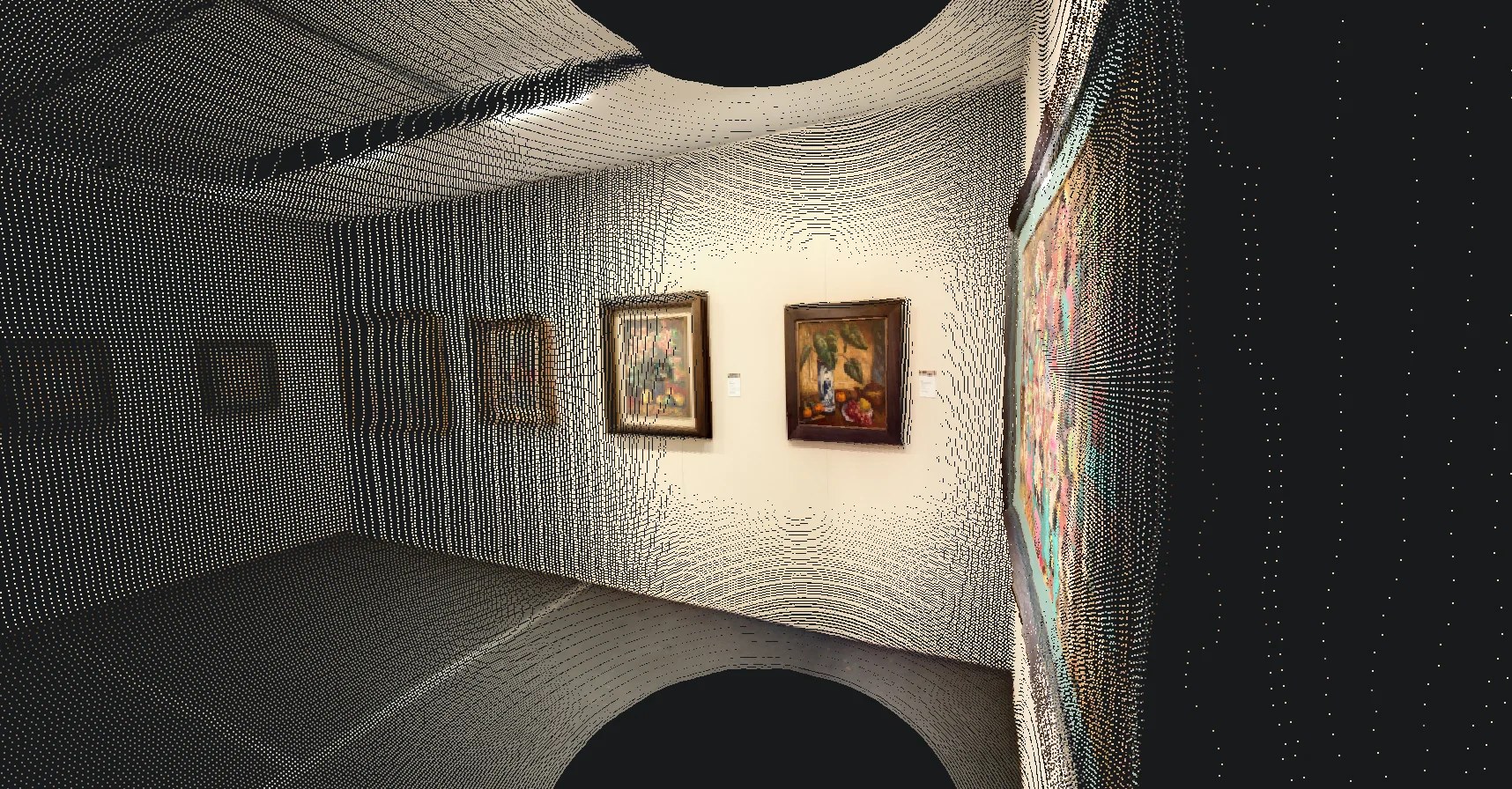
See Outputs and Result Handling for the depth maps, merged point cloud, and camera poses returned by a task.
What it supports
Argus supports:
- Multi-image input - choose multiple 2:1 equirectangular panoramas or multiple 1:1 pinhole images, using one type throughout the batch.
- ZIP upload and task submission - follow the Argus Quickstart to upload one image ZIP and submit its Argus reconstruction task.
- Task information - query the submitted task through the task-info interface.
- Reconstruction deliverables - read Outputs and Result Handling for the output manifest, depth maps, merged point cloud, and camera poses.
Integration shape
Call Argus from your backend through the overseas app gateway:
https://app-gateway.realsee.aiThe flow is asynchronous:
- Package a batch of 2:1 panoramas or 1:1 pinhole images in one input ZIP.
- Exchange Developer app credentials for an Argus gateway access token on your backend.
- Call
GET /open/v1/argus/file/token, then upload the ZIP using the returned storage credentials. - Call
POST /open/v1/argus/task/submitwithprivate_cos_keyscontaining the full uploaded object path and a nonemptytitle. Save the returnedtask_code. - Query
GET /open/v1/argus/task/info?task_code=...for task information, then download and validate the output ZIP.
Use the Argus API Reference for request fields and response contracts, and the Quickstart for upload code and batch handling.
Use the process overview for the sequence and end-to-end task for the integration steps.
Access model
Create or select a Team-owned Developer app in Apps. A Team owner can create an app for a default 14-day trial, with up to 10 apps per Team. API results depend on the app’s status, resource ownership, request limits, and valid task inputs.
Join the Realsee Discord community to discuss production needs or expected volume. Trial extensions require confirmation from the team.
The browser should not receive the app secret. Keep gateway authentication, upload token creation, task submission, and task-info queries behind your backend unless Realsee explicitly provisions a browser-safe flow for your use case.
Continue the integration
- Overview - capability and access model.
- Process - file token, task submission, and task information.
- End-to-End Reconstruction Task - first reconstruction task.
- Outputs and Result Handling - manifest, depth maps, point cloud, and camera poses.
Use Quickstart for the code and API Reference for the Argus contract. To generate a SaaS VR project from panoramas, use Pano-to-VR.